
How To Delete and Deactivate Your Facebook Account
Are you sick of the privacy implications in Facebook and just want to leave the popular social networking site? You may want to know, that it is quite difficult to do, so I am going to show you how to do it.
But first, you need to be aware of two terms used by Facebook:
- Deactivate – What deactivate does is basically temporary remove your existence from the social networking site, however, once you log back in and reactivate your account, all your posts and friends reappear
- Delete – This process takes 2 weeks, and if you log back in, your account will be restored. If you don’t access your Facebook account within 2 weeks, all your data, posts, comments, will be erased permanently. Please note, that if you delete a photo or delete your Facebook account, your photo’s will stay on Facebook’s servers for up to two years, so just watch the photo’s you upload
So what’s the best option?
This really depends what you want to do. If you just want to take a break from Facebook, you should Deactivate your account. If you never want to use Facebook again, or you want to delete all your data, you should Delete your account.
How To Deactivate Your Facebook Account?
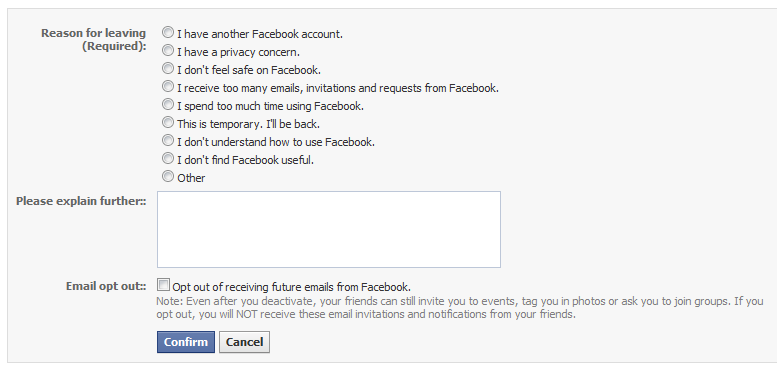
Simply visit https://register.facebook.com/editaccount.php, and click on Deactivate Account which is located at the very bottom.

Then just fill out the form, and hit confirm.
Permanently Delete Your Facebook Account
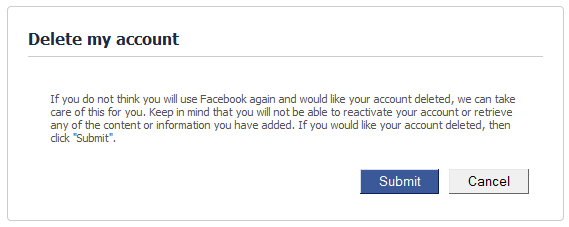
Doing this is a little more difficult. Just visit https://ssl.facebook.com/help/contact.php?show_form=delete_account hit submit, and follow the other prompts and you are done. All your information has been deactivated, and to be scheduled to be deleted.
Delete Your Facebook Account and Start From Scratch
If you want to delete your Facebook account – all your comments, wall posts, and photo’s, and start from scratch, I have written a in-depth tutorial that you may wish to read.
Do you need more information about Privacy and Facebook, I suggest downloading and reading MakeUseOf.com PDF Guide “The (Very) Unofficial Facebook Privacy Guide”


Can you start scratch with same email after deleting account?
Yes. But I haven’t tested it in a while – Facebook could have changed their processes.
Great article! Is deactivation just like a deletion that can be reversed? Because I donƒ??t want any of that information to be on Facebook anymore but I want to be able to go back and access it if I have to.
Yes. Deactivation: your content is removed from public view, but still exists on the server:
Deletion: Removes every from the servers so it is not recoverable
if someone deletes facebook permanently does his name appear in past messages we exchanged
No, it will come up as Unknown user. But the message content will still exist.
i want to deactive my page please
You can only delete, you can’t deactivate a Facebook page.